Plan Better Practices.
Train Better Teams.
The 100% offline soccer coaching assistant built for the field. Plan sessions, manage your drill bank, track squad development, and run practice checklists seamlessly—no account required.
Works anywhere with zero cell service or WiFi.
Rosters & player evals stay strictly on your device.
Built for soccer, ready for any sport or drill setup.
Plan on the Couch. Run on the Field.
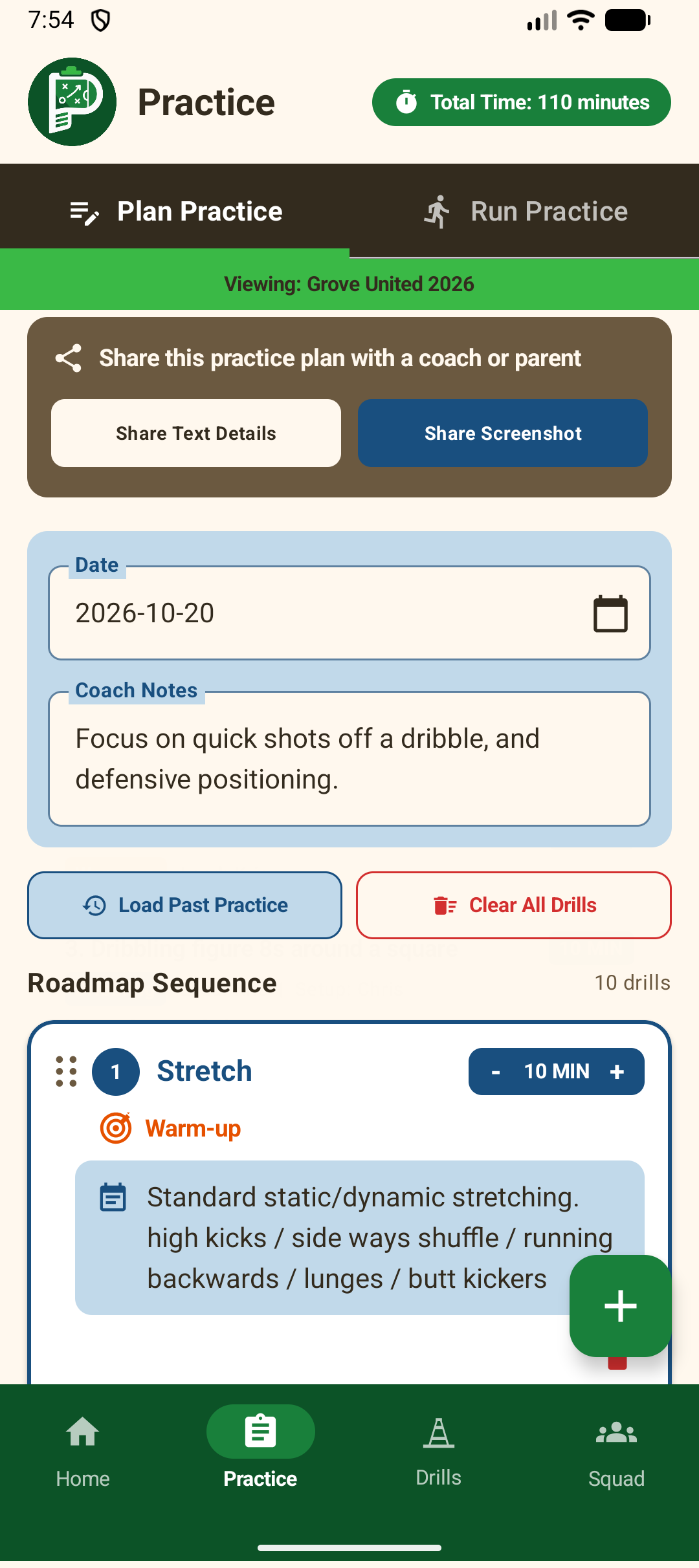
Practice Planner divides your workflow into two seamless modes: Plan Practice for building your session roadmap, and Run Practice for live on-field execution.
Plan Practice
Build your complete practice timeline in minutes without spreadsheets or crumpled paper notes.
- Dynamic Session Roadmap: Add drills from your library, reorder them via drag-and-drop, or remove them with a single tap.
- Minute-by-Minute Duration: Set duration per drill. Total practice session time calculates automatically in real-time.
- Staff Roles per Drill: Assign a Lead Coach and a Setup Coach for each drill from your staff directory.
- Favorites & Templates: Save effective practices as reusable templates, or reload previous sessions from History.
- Real-Time Duration Calculation: Instant duration totals update as you adjust drill minutes to keep your session on schedule.
Run Practice
Switch to live mode when stepping onto the grass. Keep drills flowing on schedule with zero distraction.
- Interactive Field Checklist: Check off drills as they finish with clean, high-contrast tap controls.
-
Real-Time Session Progress: Visual progress bar shows completed vs. planned duration (e.g.,
45 / 90 min (50%)). - Keep-Screen-Awake Toggle: Prevents phone sleep under outdoor sun while you're coaching on the field.
- Instant Coaching Points: Tap any active drill to view full setup notes, field diagrams, and coach assignments.
- Post-Practice Summary Card: Export visual summary cards directly to assistant coaches, parents, or staff via WhatsApp or SMS.
50 Starter Drills + Rich Markdown Editor
Never start from a blank slate. Practice Planner ships with 50 ready-to-use soccer drills categorized and color-coded—plus an advanced Markdown editor to build your own custom playbook.
Dynamic Category Color Coding
Every drill badge is color-coded for instant identification on the sidelines:
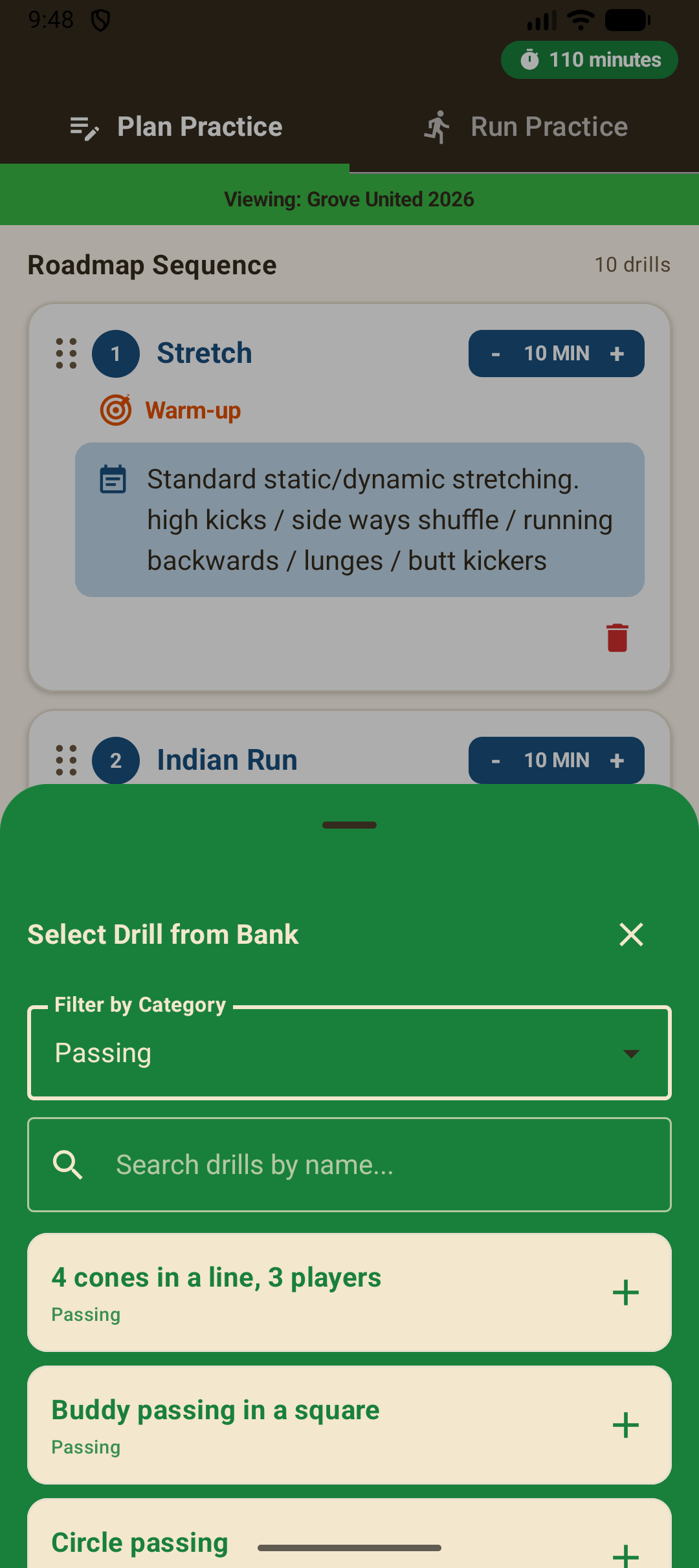
Instant Drill Bank Search
Search drills instantly by title, filter by category chips, star favorites, and insert any drill into your active practice plan with one tap.
Rich Markdown Notes
Format your drill setups with bold key points, bullet lists, headers, and duration metrics using an integrated formatting toolbar.
Field Layout Diagrams
Attach tactical sketches, cone layout diagrams, or photos directly from your phone's gallery or camera so every coach is aligned.
CSV Bulk Drill & Player Import
Already have drills or rosters in spreadsheets? Download our pre-formatted templates to import hundreds of records at once.
Player Development & Team Rosters
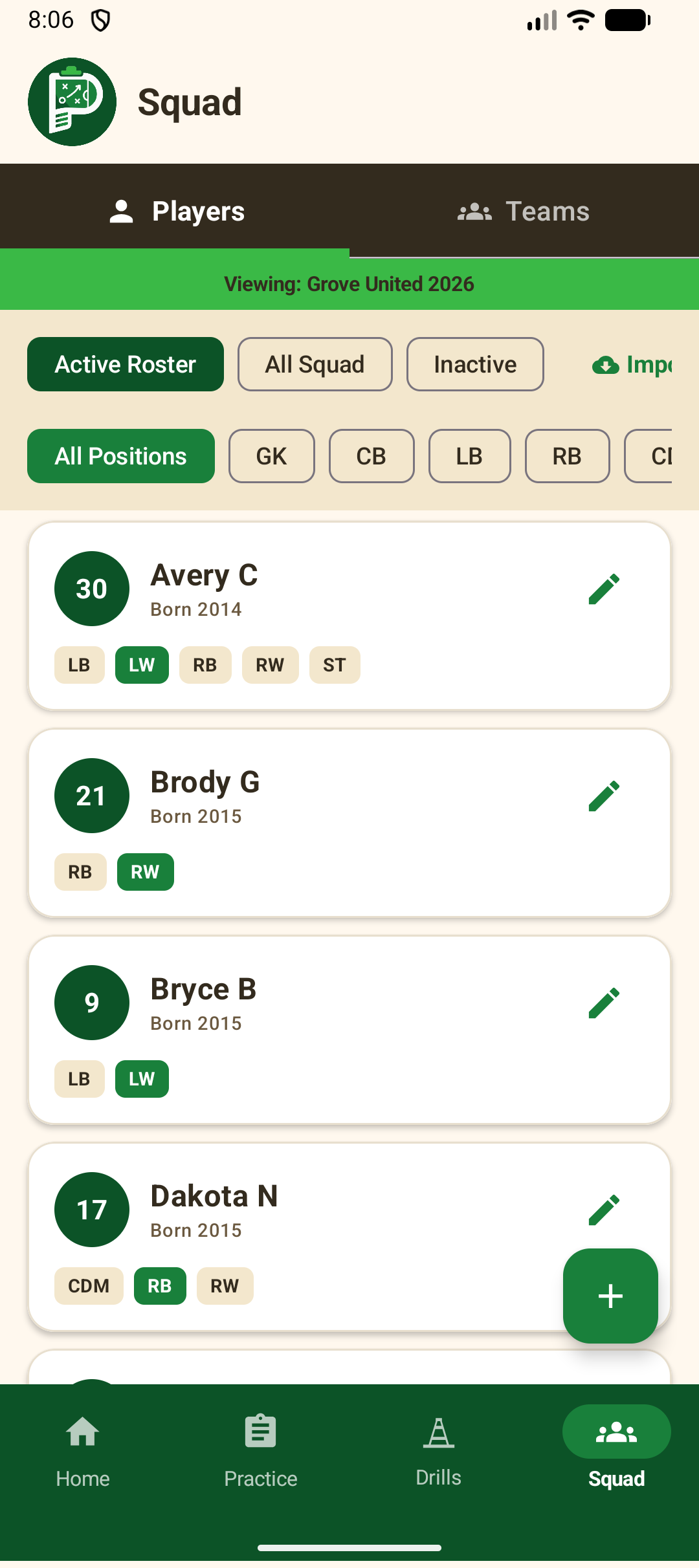
Track athletes from rookie to starter. Practice Planner includes dedicated tools for player evaluation, positions, multiple teams, and coach directories.
Manage jersey numbers, full names, birth years, primary playing positions, and secondary positions. Filter players by position (Defender, Midfielder, Forward, Goalkeeper) or search by name.
Record Strengths (e.g. "Strong left foot, exceptional vision"), Areas for Improvement (e.g. "Aerial duels, transition recovery"), and General Notes (injuries, attendance, progress logs). Automatically tracks timestamps and coach authors.
Coaching more than one squad? Switch active team profiles (e.g., "Grove United 2026" vs "U12 Academy") with one tap from the nav drawer, instantly filtering players, practices, and staff.
Beyond Soccer: Built for Any Sport on the Field
While Practice Planner ships with 50 pre-built soccer drills as a starter library, the engine is completely open. Create custom drill categories, set sport-specific durations, and import training plans for any team sport.
App Screenshots & Core Screens
Click any preview below to open the interactive high-resolution gallery and explore each screen.
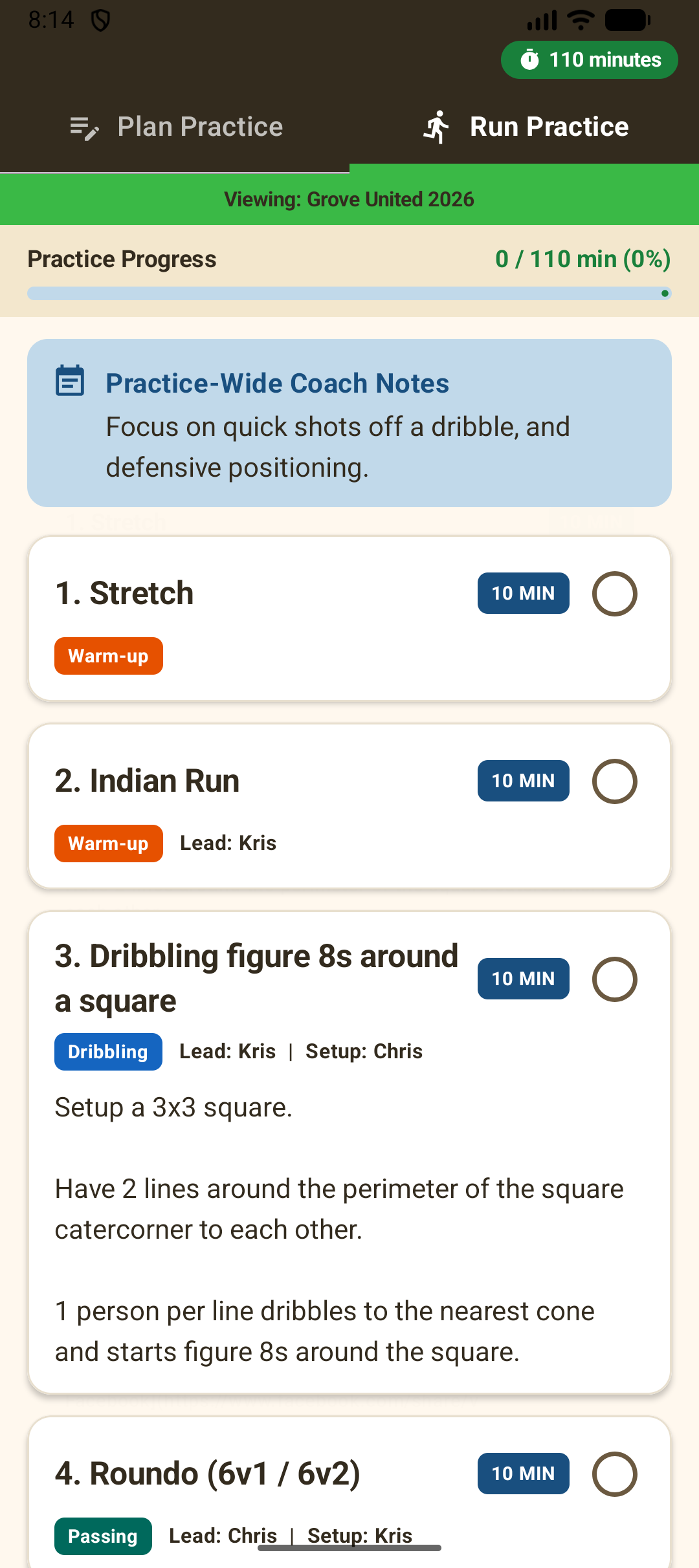
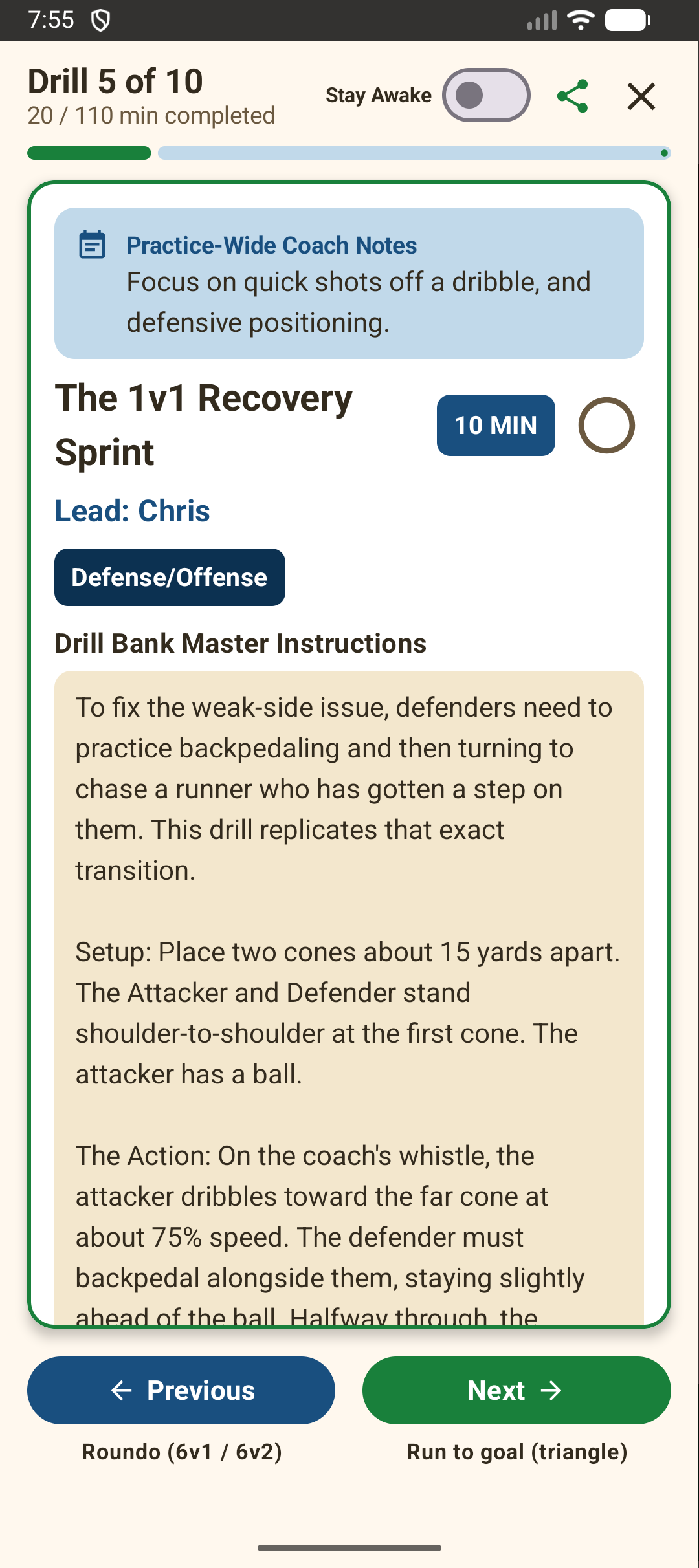
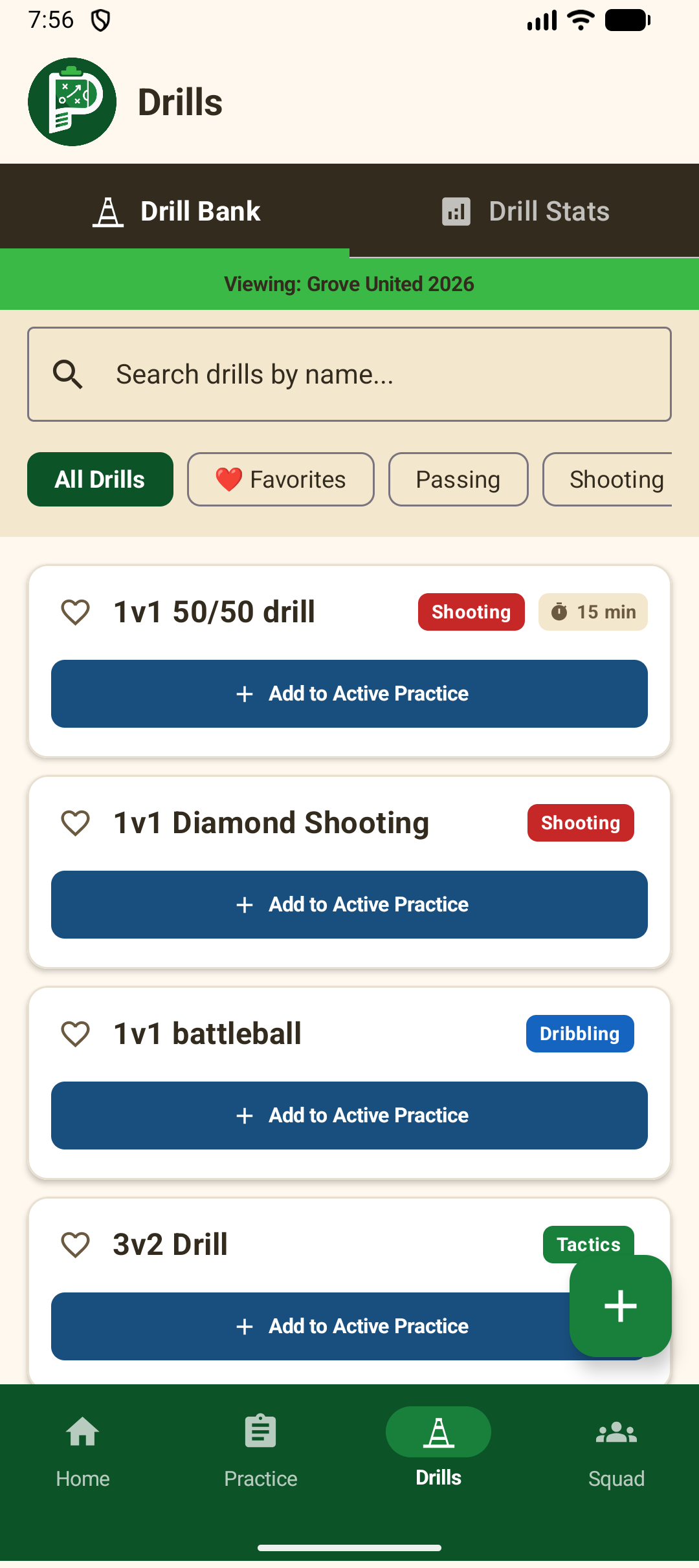
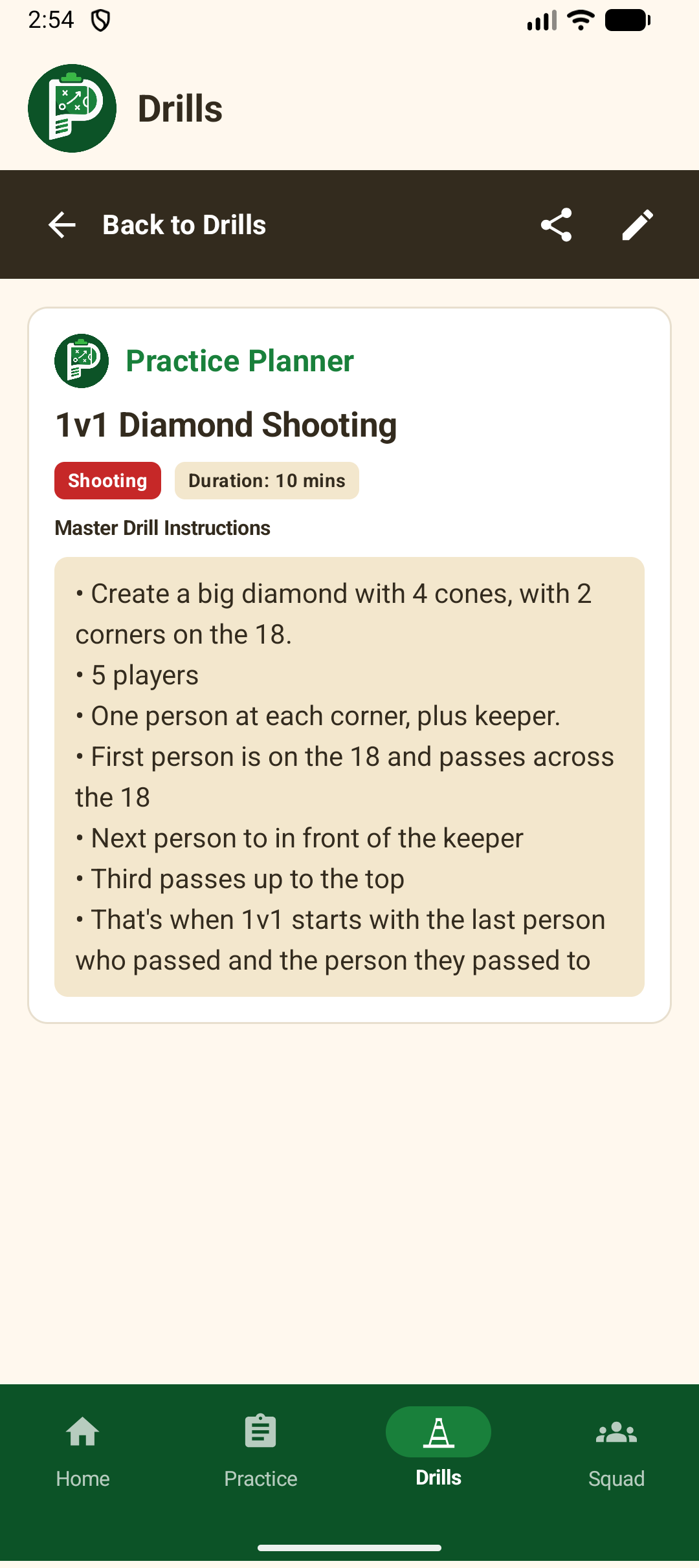
Swipe or scroll horizontally to browse all 6 screens
Ready for the Field in 3 Simple Steps
No cloud signups, no passwords, and zero account bloat. Practice Planner gets you set up and organized in under 60 seconds.
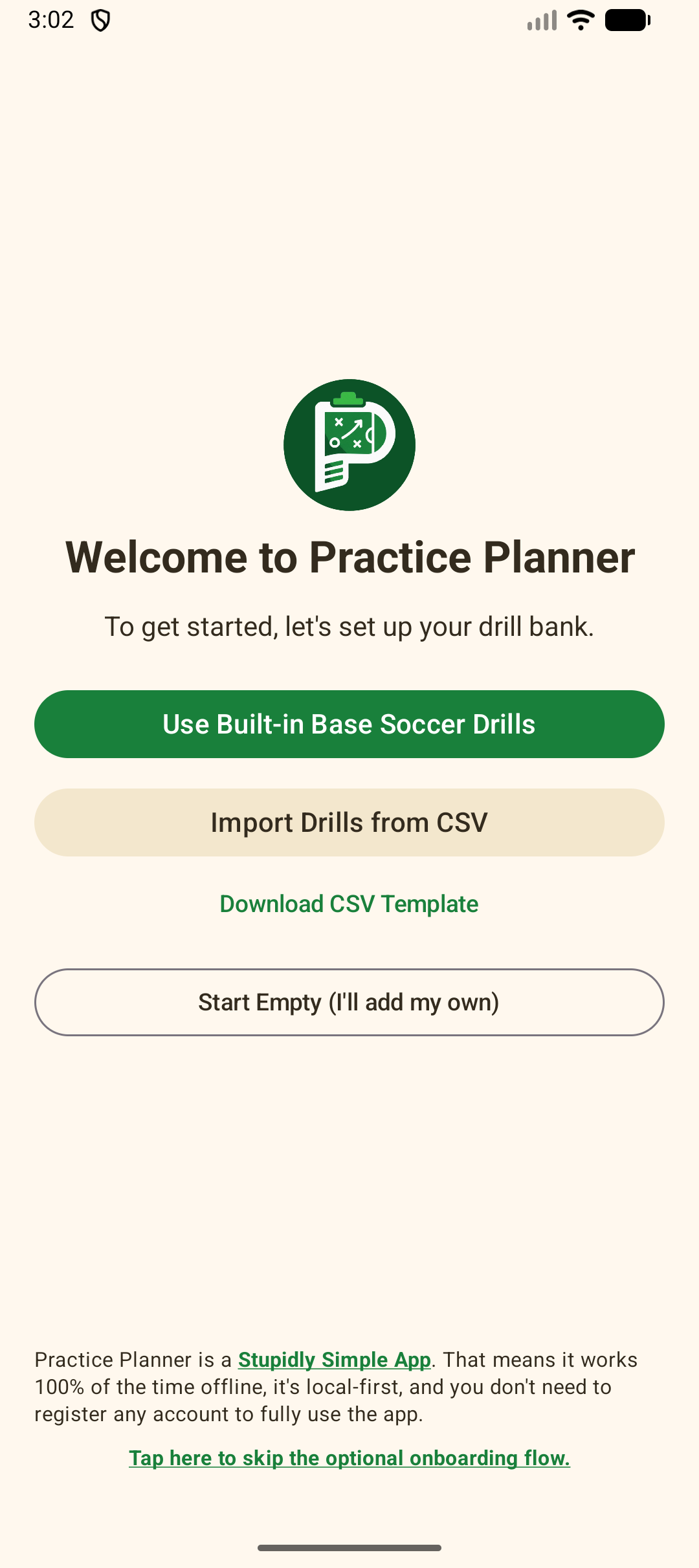
Set Up Your Drill Bank
Load 50 pre-built soccer drills, bulk import a CSV playbook, or start fresh with your own custom drills.
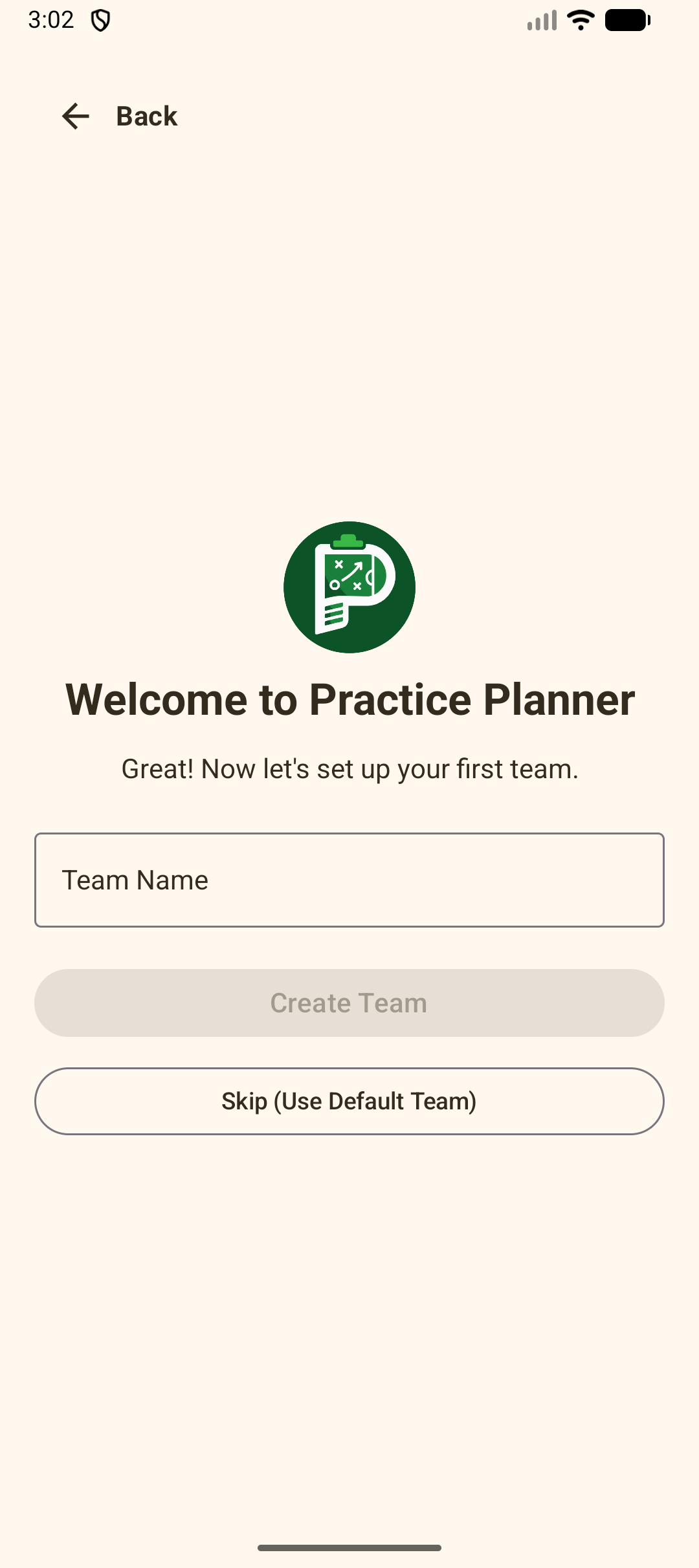
Create Your First Team
Name your team (e.g. Grove United 2026) or skip straight in using the default team profile.
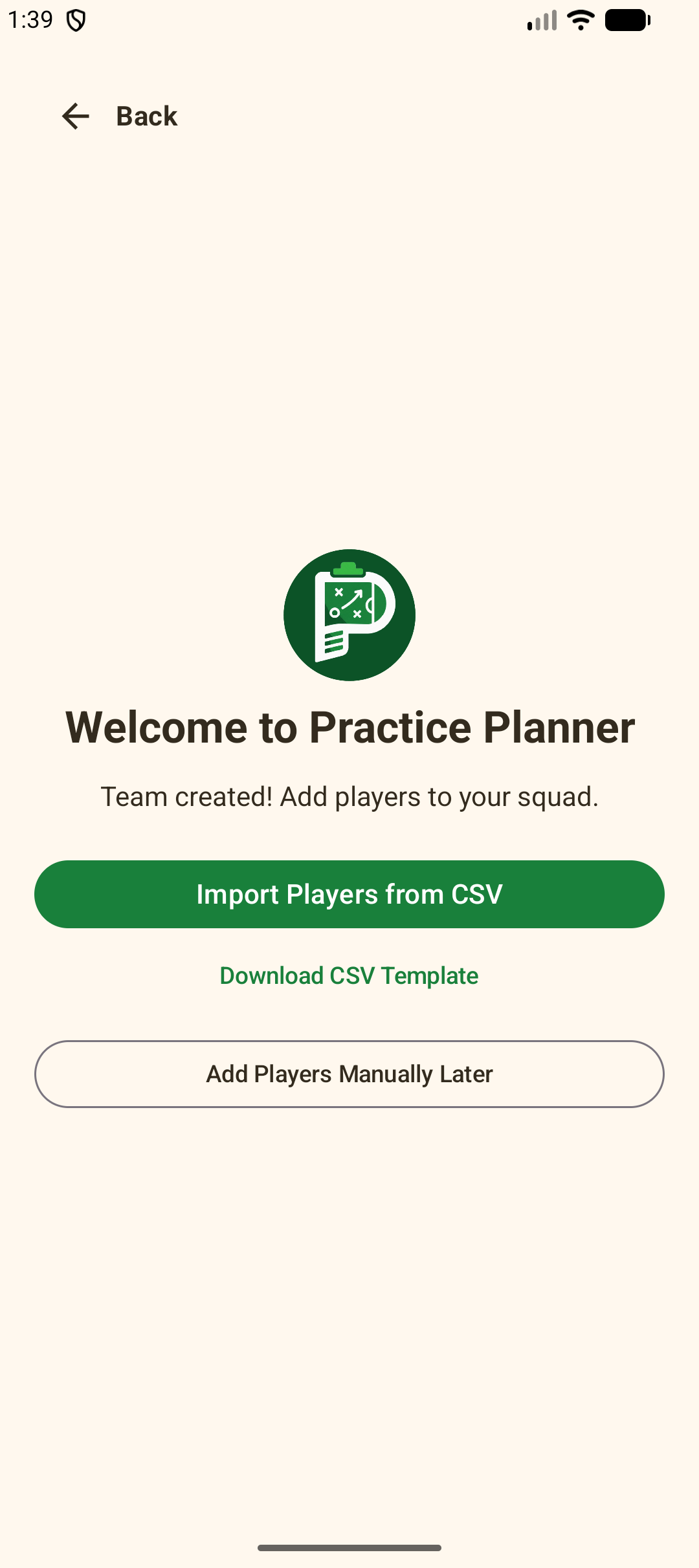
Add Squad Players
Import full rosters instantly via CSV or add jersey numbers and player positions manually on the sidelines.
Download the Early Alpha APK
Practice Planner is actively in development. If you're a coach looking to test early builds right now on your Android phone or tablet, sideload our standalone Alpha APK.
PracticePlanner.apk
Version 1.0-alpha • ~11 MB • For Android 8.0+ Devices
Practice Planner installs directly on Android phones and tablets. Click to email or message the download link to your phone or coaching staff.
PracticePlanner.apk
Version 1.0-alpha • ~11 MB • Android 8.0+ (Oreo or higher)
How to Install on Android in 3 Simple Steps:
PracticePlanner.apk file.
Get Notified & Share Feedback
Sign up for official release updates or send your thoughts directly to the developer.